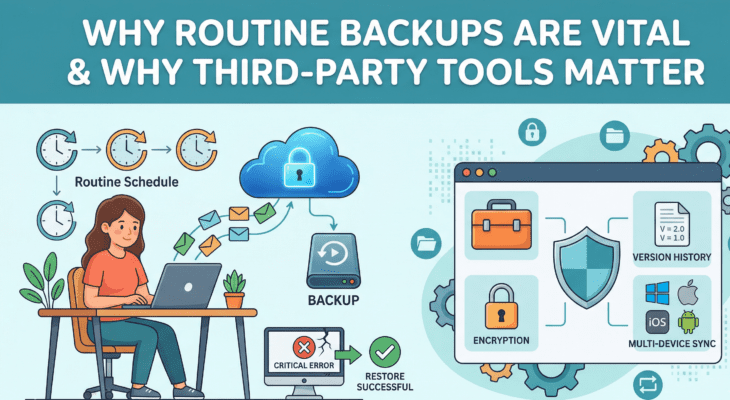
In today’s digital world, data loss is more common than you think — accidental deletions, hardware failures, malware, ransomware, or system crashes can wipe out everything in an instant. Without a proper backup system, you could lose critical files, system settings, and years of important data.
Why Windows Built-In Backup Isn’t Enough
Windows includes basic backup tools (File History, System Image Backup, etc.), but these are often limited and unreliable. Common issues include:
- No cloud integration
- Limited scheduling and automation
- Trouble restoring to new hardware
- Lack of advanced backup modes
- Occasional compatibility failures
Because of these drawbacks, Exxor Tech IT recommends using third-party solutions like EaseUS Todo Backup — a robust, reliable backup suite for Windows systems.
The Power of Local + Cloud Backups
A strong backup strategy uses both local and cloud storage:
- Local Backup (e.g., external drives, NAS): Fast recovery, full control, but vulnerable to physical damage or theft.
- Cloud Backup: Accessible anywhere, safe from local disasters, but relies on internet speed and cloud storage costs.
EaseUS Todo Backup supports both options — giving you speed, flexibility, and peace of mind.
What Makes EaseUS Todo Backup Stand Out
Here are some of its most useful features:
- Disk/Partition Backup: Back up entire drives or partitions.
- System Backup: Restore your entire OS if Windows won’t boot.
- File/Folder Backup: Select specific files and folders to protect.
- Cloud Backup: Upload backups to the cloud for offsite safety.
- Incremental/Differential Backups: Save only changes to save time and space.
- Cloning Tools: Clone your system to a new drive or SSD.
- Bootable Recovery Media: Restore even if your PC won’t start.
- Ransomware Protection (Security Zone): Keep backups safe from malware.
- Mountable Backup Images: Access files from backups like a virtual drive.
- Smart Backup Scheduling: Automate your backups and forget the hassle.
These tools make EaseUS Todo Backup suitable for both casual users and professionals.
Backup Best Practices
- Automate your backups with schedules.
- Test your restore points regularly.
- Keep multiple versions of backups.
- Encrypt sensitive files.
- Use both local and cloud backups.
- Update the software to stay compatible with new systems.
Final Thoughts
No tool is perfect, but EaseUS Todo Backup is one of the best options available. It’s feature-rich, easy to use, and trusted by professionals. Overall, it’s a powerful and dependable solution. Exxor Tech IT recommends it as a smart choice for anyone serious about protecting their data.
Affiliate Disclosure: This post contains affiliate links for EaseUS Todo Backup. If you choose to upgrade to a premium plan through these links, we may earn a small commission at no additional cost to you. This helps support the site and allows us to continue sharing high-quality tech recommendations. Thank you for your support!
Ready to take backup solutions to next level?
Explore EaseUS Todo Backup Plans HERE